Kendo UI for Angular
Angular Speech To Text Button
- Turn spoken input into text with a single click Use the native Web Speech API or plug in third-party providers Configure continuous listening, interim results and language recognition
- Part of the Kendo UI for Angular library along with 110+ professionally-designed components.
- Includes support, documentation, demos, virtual classrooms, Visual Studio Code Extensions and more!
-
Add voice input to your Angular app
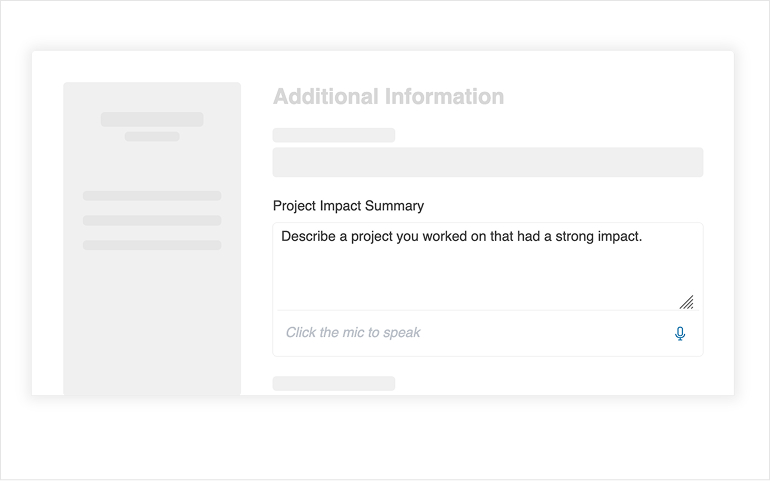
The Kendo UI for Angular Speech To Text Button component lets users dictate text anywhere you accept input. Ship voice-enabled experiences fast using the built-in Web Speech API integration or wire up your preferred cloud provider. The component follows Kendo UI styling, integrates with other Kendo UI for Angular components and delivers reliable performance.
-
Flexible integration options
Use the default Web Speech API integration for an out-of-the-box experience that requires no setup. When you need custom engines like Azure, Google or AWS, set integrationMode="none" and handle start and end to connect your provider of choice.
See the Angular Speech To Text Button integration demo.
-
Real-time transcription controls
Give users instant feedback by enabling interim results, continuous recognition and multiple alternatives. Configure the number of alternatives and process confidence scores to select the best transcript for your scenario.
See the Angular Speech To Text Button configuration demo.
-
Theming and appearance
Match your design system with built-in size, rounded, fill mode and theme color options. Use none for fine-grained control when you want to fully customize padding or border radius.
See the Angular Speech To Text Button appearance demo.

-
Multilingual recognition
Support global audiences by setting the lang property with a BCP 47 tag such as en-US, de-DE or es-ES. The available languages depend on the underlying engine so you can tailor the experience per browser or provider.
See the Angular Speech To Text Button language demo.
-
Events and programmability
React to user intent with events for start, end, result, error and click. Access transcripts, confidence and final state in the result payload to implement live previews, analytics or custom acceptance rules.
See the Angular Speech To Text Button events demo.
-
Accessibility compliance
Deliver inclusive voice features with WCAG 2.2 AA, Section 508 and WAI-ARIA support. The component works with popular screen readers and provides clear focus and toggle states.
See the Angular Speech To Text Button accessibility demo.
-
Disabled state and focus control
Prevent interaction when needed by setting disabled to true and programmatically focus the component when re-enabled. Maintain predictable behavior across forms and dialog flows.
See the Angular Speech To Text Button disabled-state demo.

-
Works with Conversational UI
Add a Speech To Text Button in the Kendo UI for Angular AI Prompt to let users dictate prompts. Configure via the Speech To Text Button option or pass a Speech To Text ButtonSettings object for advanced behavior.
See the Angular AI Prompt speech-to-text demo.

Get Started with Kendo UI for Angular