




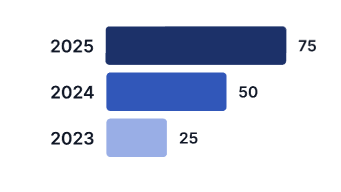
this image below is the expected outcome
dojo link of what i have done
chart will load upon clicking on the various buttons
Katelyn
commented on 26 Mar 2026, 11:48 AM
Top achievements
 Rank 1
Rank 1
In many charting components, value labels may not appear because of visual layout constraints or control limitations, especially when the value is zero or very small. For example, Telerik’s HTML5 BarSeries and ColumnSeries historically do not render labels for zero values due to the internal drawing logic, which considers such labels unnecessary or visually overlapping. A common workaround is to adjust the data (e.g., use a very small non‑zero marker value) or modify the axis/series formatting so that labels have space to render. Another approach is explicitly setting label format properties like DefaultLabelValue or using custom templates to force visibility when needed



